 Chocolatey
Releases40
Frequency1 week 1 day
Last Release
Free/Libre Open Source Software binaries of [VS Code](https://community.chocolatey.org/packages/vscode).
VSCodium is a community-driven, freely-licensed binary distribution of Microsoft's editor VS Code.
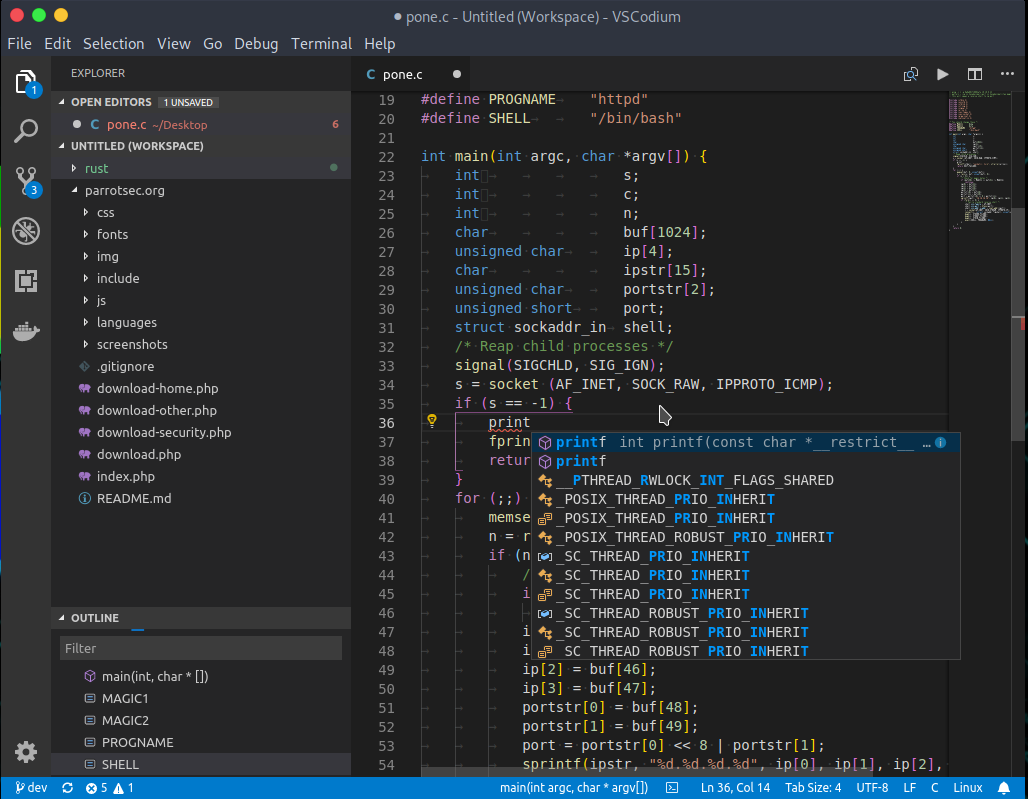
VS Code is a lightweight but powerful source code editor which runs on your desktop and is available for Windows, macOS and Linux. It comes with built-in support for JavaScript, TypeScript and Node.js and has a rich ecosystem of extensions for other languages (such as C++, C#, Java, Python, PHP, Go) and runtimes (such as .NET and Unity).
## Features
* **Meet IntelliSense:** Go beyond syntax highlighting and autocomplete with IntelliSense, which provides smart completions based on variable types, function definitions, and imported modules.
* **Print statement debugging is a thing of the past:** Debug code right from the editor. Launch or attach to your running apps and debug with break points, call stacks, and an interactive console.
* **Git commands built-in:** Working with Git and other SCM providers has never been easier. Review diffs, stage files, and make commits right from the editor. Push and pull from any hosted SCM service.
* **Extensible and customizable:** Want even more features? Install extensions to add new languages, themes, debuggers, and to connect to additional services. Extensions run in separate processes, ensuring they won't slow down your editor. [Learn more about extensions.](https://code.visualstudio.com/docs/editor/extension-gallery)
## Package parameters
* `/NoDesktopIcon` - Don't add a desktop icon.
* `/NoQuicklaunchIcon` - Don't add an icon to the QuickLaunch area.
* `/NoAddContextMenuFiles` - Don't add an _Open with VSCodium_ entry to the context menu for files.
* `/NoAddContextMenuFolders` - Dont't add an _Open with VSCodium_ entry to the context menu for folders.
* `/AssociateWithFiles` - Register VSCodium as an editor for supported file types.
* `/NoAddToPath` - Don't add VSCodium to the system PATH.
Example: `choco install vscodium --params "/NoDesktopIcon /NoAddToPath"`
## Notes
* The package uses default install options except that it adds context menu entries and VSCodium isn't started after installation.
* You can [disable auto-update](https://code.visualstudio.com/docs/supporting/faq#_how-do-i-opt-out-of-vs-code-autoupdates) if you prefer to update VSCodium on your own schedule.
Collections containing this project
Showing collections based on your access.
This project is not in any collections you can view.