 Chocolatey
Releases55
Frequency1 month 1 week
Last Release
Rundeck is open source software that helps you automate routine operational procedures in data center or cloud environments. Rundeck provides a number of features that will alleviate time-consuming grunt work and make it easy for you to scale up your automation efforts and create self service for others. Teams can collaborate to share how processes are automated while others are given trust to view operational activity or execute tasks.
Rundeck allows you to run tasks on any number of nodes from a web-based or command-line interface. Rundeck also includes other features that make it easy to scale up your automation efforts including: access control, workflow building, scheduling, logging, and integration with external sources for node and option data.
## Features
* Web API
* Distributed command execution
* Pluggable execution system (SSH by default)
* Multi-step workflows
* Job execution with on demand or scheduled runs
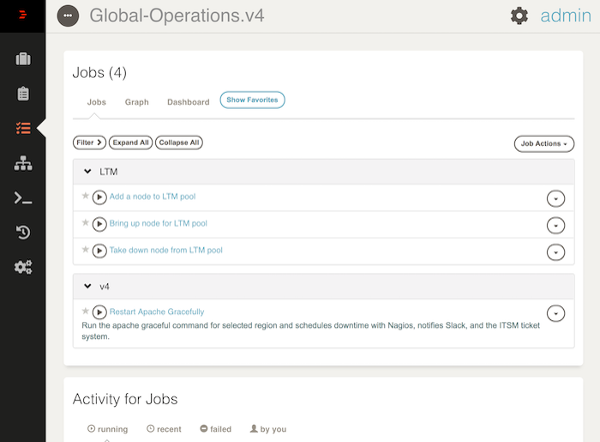
* Graphical web console for command and job execution
* Role-based access control policy with support for LDAP/ActiveDirectory
* History and auditing logs
* Open integration to external host inventory tools
* Command line interface tools
## Package parameters
* `/InstallDir` - Rundeck installation directory, by default `c:\rundeck`.
* `/Service` - Install rundeck Windows service. If value `0` is specified, service will be created but not started.
* `/CliOpts` - Value for `RDECK_CLI_OPTS`, by default `-Xms1048m -Xmx2096m`.
* `/SslOpts` - Value for `RDECK_SSL_OPTS`.
* `/AdminPwd` - Admin password, by default `admin`.
* `/DateFormat` - Date format in Java SimpleDateFormat notation. It is used for date in job _Activity_ tab.
* `/DateFormatKo` - Dates in _recent_ executions are in [moment.js](https://momentjs.com) format.
* `/RunningFormatKo` - Dates in _running_ executions are in [moment.js](https://momentjs.com) format.
* `/TokenDuration` - API token duration. Format: `##{ydhms}` (years, days, hours, minutes, seconds).
* `/EnableSsl` - Use self signed SSL as described in SSL configuration.
* `/TimeZone` - Specify default time zone (affects cron jobs). See [list of timezones](https://en.wikipedia.org/wiki/List_of_tz_database_time_zones).
For example:
```ps1
$params = [ordered]@{
InstallDir = 'c:\rundeck'
AdminPwd = 'test123'
CliOpts = '-Xms2048m -Xmx4096m'
TokenDuration = '10y'
DateFormat = 'yyyy-MM-dd HH:mm'
DateFormatKo = 'YYYY-MM-DD HH:mm'
RunningFormatKo = 'HH:mm'
Service = $true
EnableSsl = $true
TimeZone = 'Europe/Belgrade'
}
$params = $params.GetEnumerator() | % { if ($_.Value -is [bool]) { if ($_.Value) { "/{0}" -f $_.Key}} else { "/{0}:'{1}'" -f $_.Key, $_.Value } }
cinst rundeck --params $params
```
## Notes
* The package performs installation that is described in official [documentation](https://rundeck.org/docs/administration/install/windows.html). After installation, you can access the service via URL http://localhost:4440 or https://localhost:4443 if `EnableSsl` parameter is used.
* To setup mail notifications edit `$RDECK_BASE/server/config/rundeck-config.properties` and edit all `grails.mail.*` settings.
* You generally shouldn't use `choco update` with this package because each release may have its own migration procedure.
* Related package: [rundeck-cli](https://chocolatey.org/packages/rundeck-cli).
* With `EnableSsl` server name must be FDQN or installation will fail.
Collections containing this project
Showing collections based on your access.
This project is not in any collections you can view.