 Chocolatey
Releases6
Frequency1 year 9 months
Last Release
# NVM
## Overview
Manage multiple installations of node.js on a Windows computer.
This has always been a node version manager, not an io.js manager, so there is no back-support for io.js. Node 4+ is supported. Remember when running `nvm install` or `nvm use`, Windows usually requires administrative rights (to create symlinks).
There are situations where the ability to switch between different versions of Node.js can be very useful. For example, if you want to test a module you're developing with the latest bleeding edge version without uninstalling the stable version of node, this utility can help.
## Usage
**nvm-windows runs in an Admin shell**. You'll need to start `powershell` or Command Prompt as Administrator to use nvm-windows
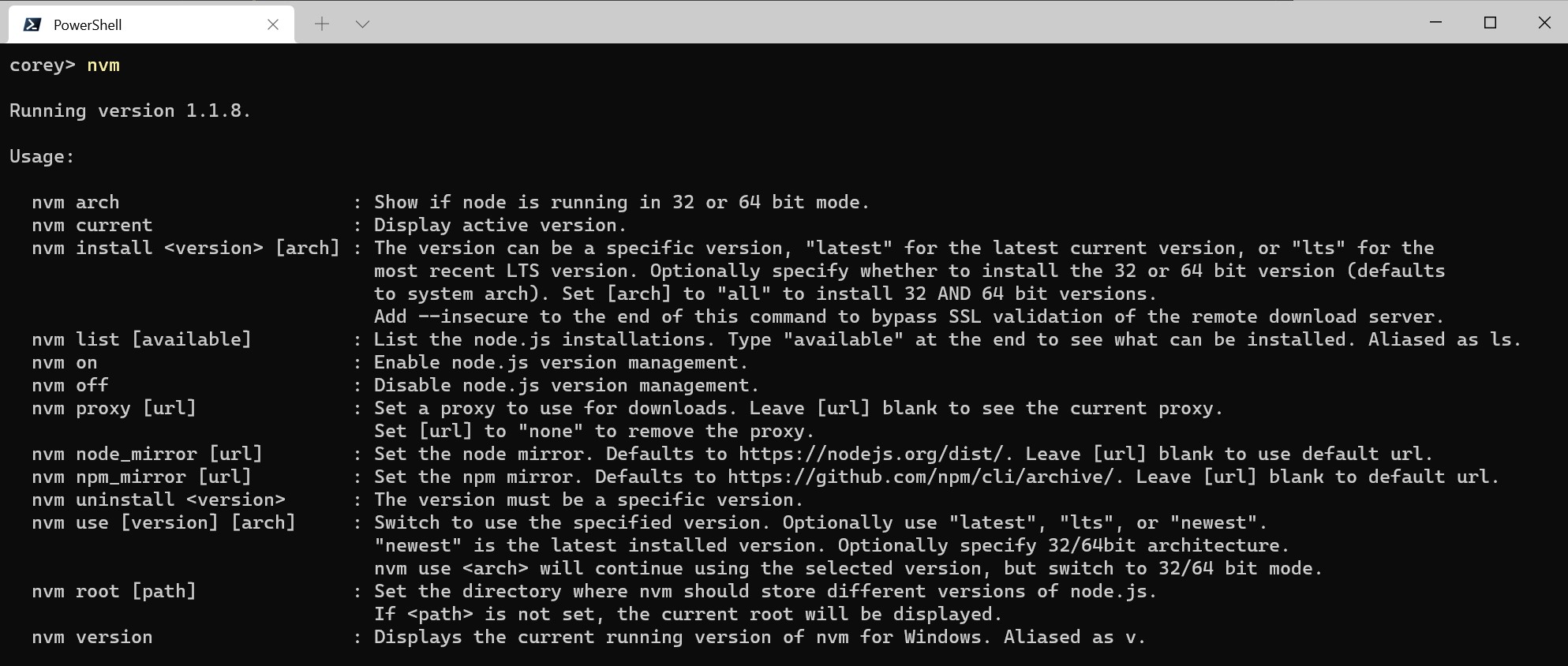
NVM for Windows is a command line tool. Simply type `nvm` in the console for help. The basic commands are:
- `nvm arch [32|64]`: Show if node is running in 32 or 64 bit mode. Specify 32 or 64 to override the default architecture.
- `nvm current`: Display active version.
- `nvm install ﹤version﹥ [arch]`: The version can be a specific version, "latest" for the latest current version, or "lts" for the most recent LTS version. Optionally specify whether to install the 32 or 64 bit version (defaults to system arch). Set [arch] to "all" to install 32 AND 64 bit versions. Add `--insecure` to the end of this command to bypass SSL validation of the remote download server.
- `nvm list [available]`: List the node.js installations. Type `available` at the end to show a list of versions available for download.
- `nvm on`: Enable node.js version management.
- `nvm off`: Disable node.js version management (does not uninstall anything).
- `nvm proxy [url]`: Set a proxy to use for downloads. Leave `[url]` blank to see the current proxy. Set `[url]` to "none" to remove the proxy.
- `nvm uninstall ﹤version﹥`: Uninstall a specific version.
- `nvm use ﹤version﹥ [arch]`: Switch to use the specified version. Optionally use `latest`, `lts`, or `newest`. `newest` is the latest _installed_ version. Optionally specify 32/64bit architecture. `nvm use ﹤arch﹥` will continue using the selected version, but switch to 32/64 bit mode. For information about using `use` in a specific directory (or using `.nvmrc`), please refer to [issue #16](https://github.com/coreybutler/nvm-windows/issues/16).
- `nvm root ﹤path﹥`: Set the directory where nvm should store different versions of node.js. If `﹤path﹥` is not set, the current root will be displayed.
- `nvm version`: Displays the current running version of NVM for Windows.
- `nvm node_mirror ﹤node_mirror_url﹥`: Set the node mirror.
- `nvm npm_mirror ﹤npm_mirror_url﹥`: Set the npm mirror.
Subscribe above to receive notifications when new versions are released.
| Version | Date | Stability Stability is determined by the version string and my be inaccurate. | |
|---|---|---|---|
| 1.2.2.20251229 | Stable | ||
| 1.2.2 | Stable | ||
| 1.1.12 | Stable | ||
| 1.1.9 | Stable | ||
| 1.1.5 | Stable | ||
| 1.1.1 | Stable |